ScriptHub
ScriptHub is Shotly's built in script editor. Write, format and collaborate on your script without ever leaving the app.
Getting there Open your project and click ScriptHub in the left sidebar.
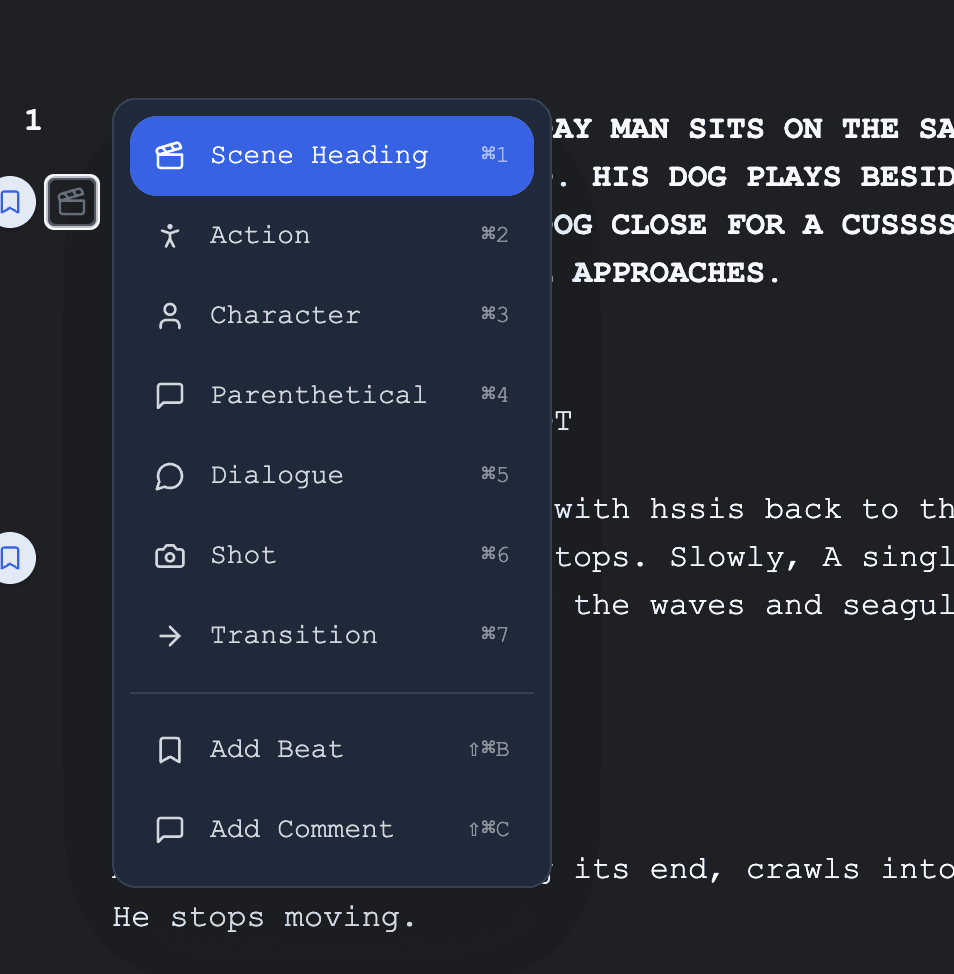
Writing your script You'll start with a blank title page and your first page ready to go. Just start writing. ScriptHub automatically formats your script as you type — scene headings, action lines, dialogue — so you never have to think about layout.
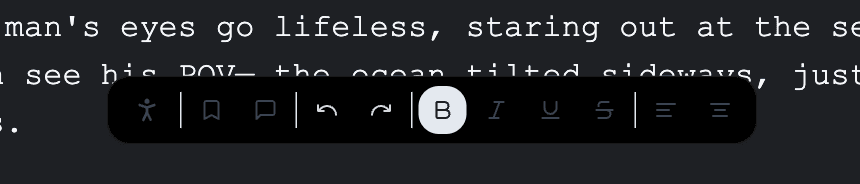
The tag bar At the bottom of the screen you'll find the tag bar. Use it for standard script formatting — bold, italics, comments, actions and more.
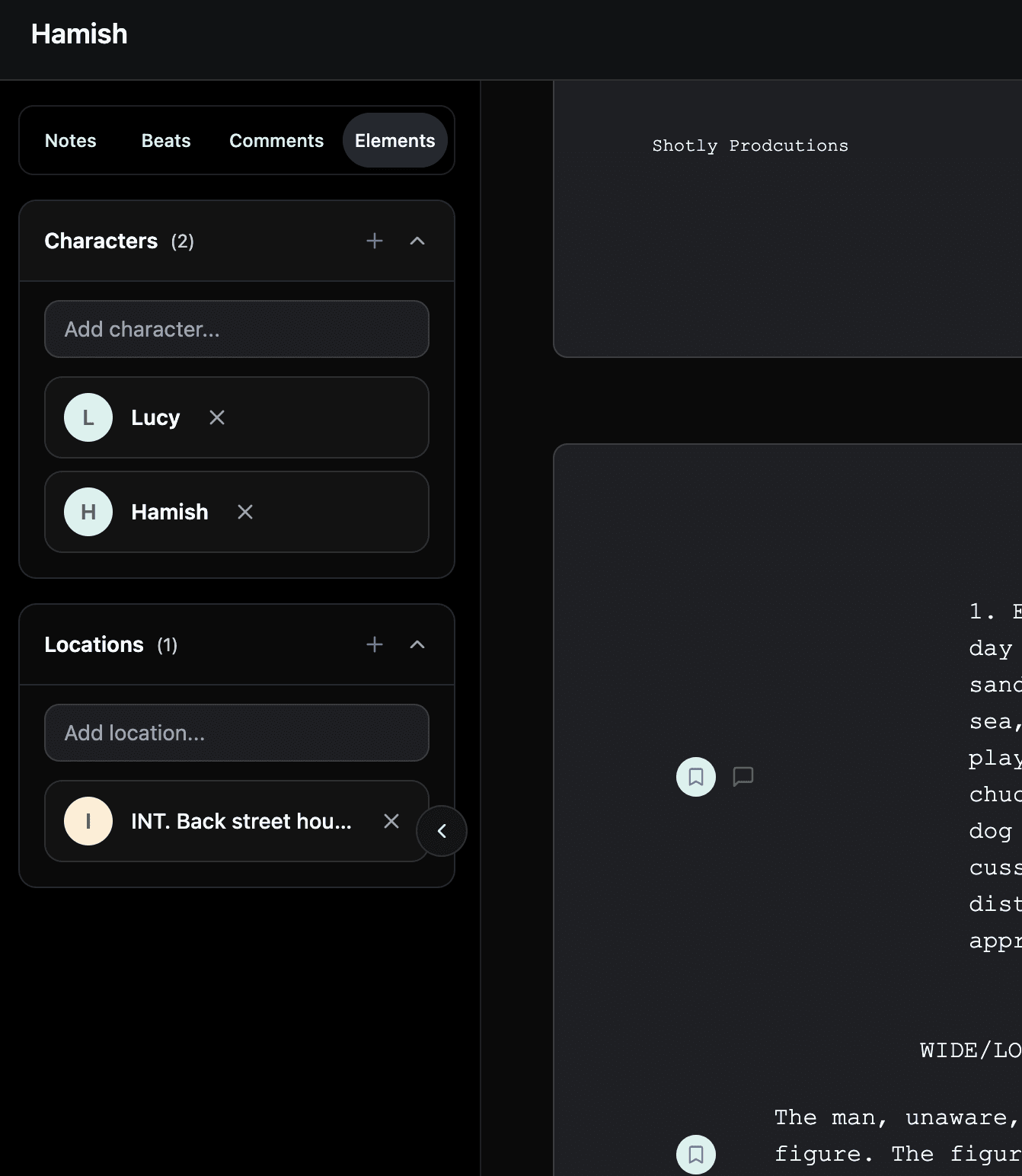
Elements On the left sidebar you'll find Elements. Add your locations and character names here and ScriptHub will auto suggest them as you write, keeping your script consistent throughout.
Notes, story beats and comments On the right sidebar you can leave notes on highlighted sections, map out your story beats and drop comments for collaborators to review. Great for working with a writer or getting feedback from a producer.
The AI script assistant ScriptHub has a built in AI assistant that helps with formatting, typos and improving dialogue flow. It will never write your script for you — it's there to sharpen what you've already written, not replace you.
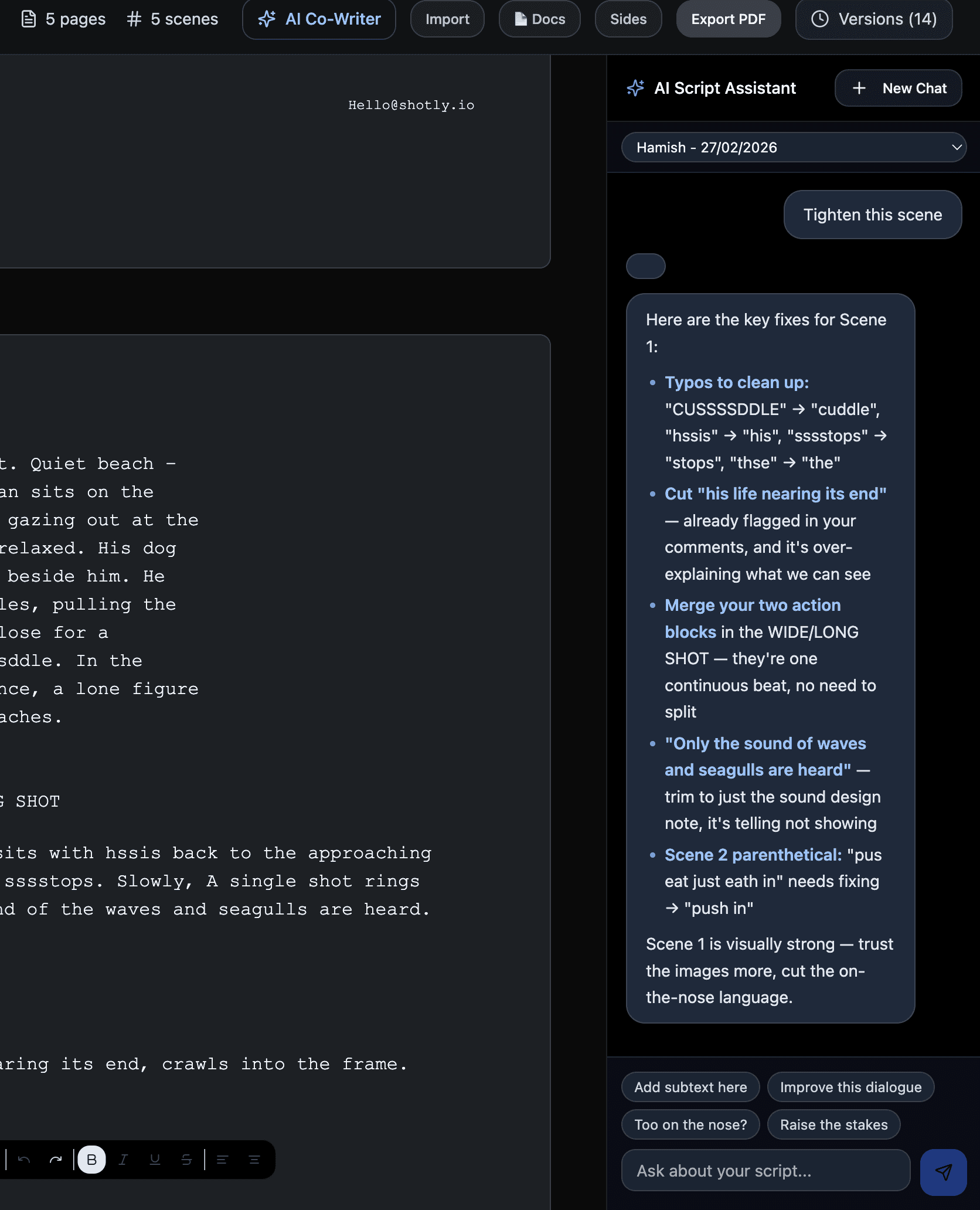
Versions and export At the top of the screen you'll find your version history so you can track changes over time. You can also export your script as a PDF or import an existing script from any other software and ScriptHub will read and format it automatically.
Need help? Contact us at support@shotly.io and we'll get back to you fast.