Inviting your team
Adding collaborators to your project is straightforward and only takes a few seconds.
Step 1 — Check your plan Team collaboration is available on the Pro plan and above. if you're on Indie or Free you'll need to upgrade first.
Step 2 — Head to your project Open the project you want to add a team member to and find the team or collaborators section in your dashboard.
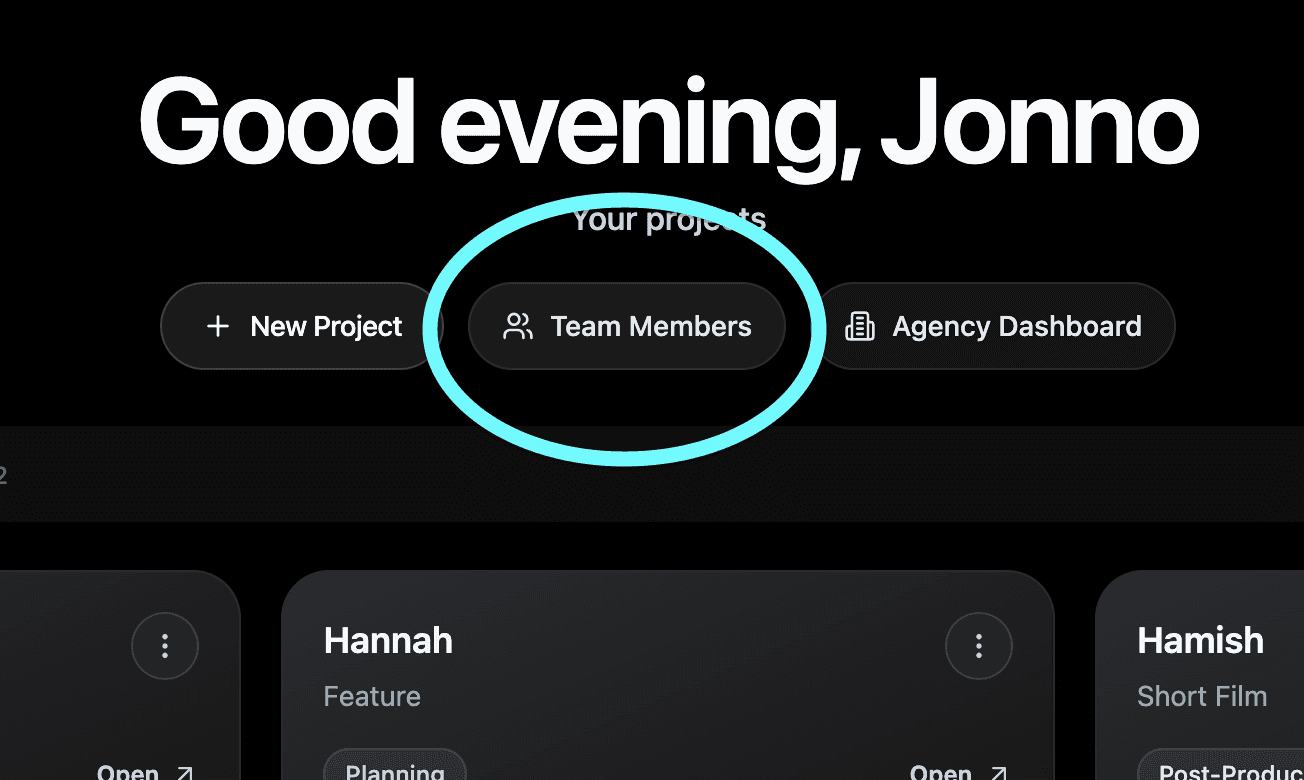
Step 3 — Invite your team member Enter their email address. They must already have an account with Shotly.
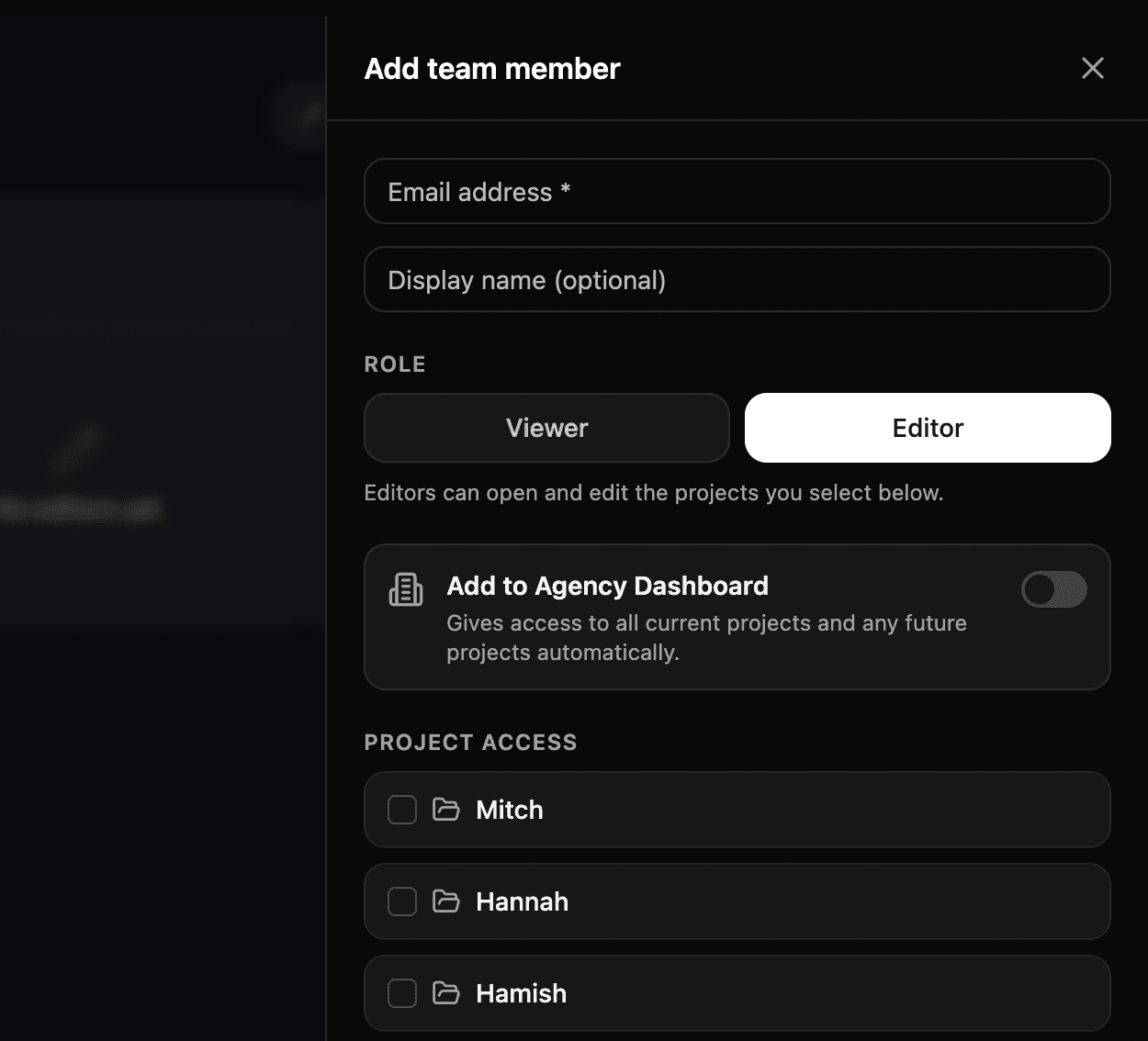
Step 4 — They're in Once they've accepted the invite they'll have access to the project straight away. Everyone works in the same place, in real time.
Running out of seats? You can upgrade your Studio plan to add more seats at any time from your account settings. Head to Billing and Plans for more info.
Need help? Contact us at support@shotly.io and we'll get back to you fast.